iPhone Duo: clean up your photos and free up storage
iPhone Duo, the first foldable iPhone, has been on sale since October 23,
- If you are coming from another iPhone, restoring your backup brings your whole library with it: years of screenshots, bursts and videos you will never watch again. It is the best moment to clean it up, and the Duo’s 7.6-inch inner display, the largest iPhone display ever according to Apple, helps you see what you are deleting.
1. What takes the most space
- Video: the Duo records 4K Dolby Vision at up to 120 fps with the main camera. That is by far the heaviest thing on it. In Settings › Camera › Record Video the iPhone itself tells you how much a minute takes with each option; for everyday clips, 1080p at 30 fps is plenty.
- 48MP photos: both of its cameras take super-high-resolution photos, at 24MP and 48MP. A 48MP photo has twice the pixels and takes noticeably more space.
- Whatever comes from your old iPhone: screenshots, bursts and copies piled up over the years.
It comes with 256GB, 512GB, 1TB or 2TB. That is a lot, but 4K video fills it sooner than you would think.
2. The usual, with Touch ID
The basics work as on any iPhone with iOS 27:
- Settings › General › iPhone Storage shows what takes the most space.
- In Photos, Collections › Utilities › Duplicates groups copies of the same photo and merges them, keeping the highest-quality one.
- Collections › Media Types › Videos shows only your videos. How to find the heaviest ones is in this guide.
What changes is Recently Deleted: what you delete goes there and keeps taking space for 30 days. To empty it, in Collections › Recently Deleted, the Duo does not use Face ID but Touch ID, built into the side button.
And if you would rather keep your videos before deleting them, the Duo’s USB-C port is USB 3, up to 10 Gb/s: copying them to an external SSD is quick.
3. Limina, made for the Duo too
Limina is an app I made for cleaning up your library with a swipe: one way to keep, the other to delete. On the Duo it uses the fold:
- Open like a book, every screen goes to two pages. While you swipe, the photo takes one and the other holds the whole round as thumbnails, with the buttons. In bursts and similar photos, the big photo goes on one side and every shot of the burst on the other. In the summary, the list goes on one side and the photo you tap on the other.
- Half folded, standing on a table, the photo sits above the fold and the buttons below it.
- Fully open and upright, it is one page, as on an iPhone, with the photo at full height.
- Closed, it works on the outer display like on any iPhone.
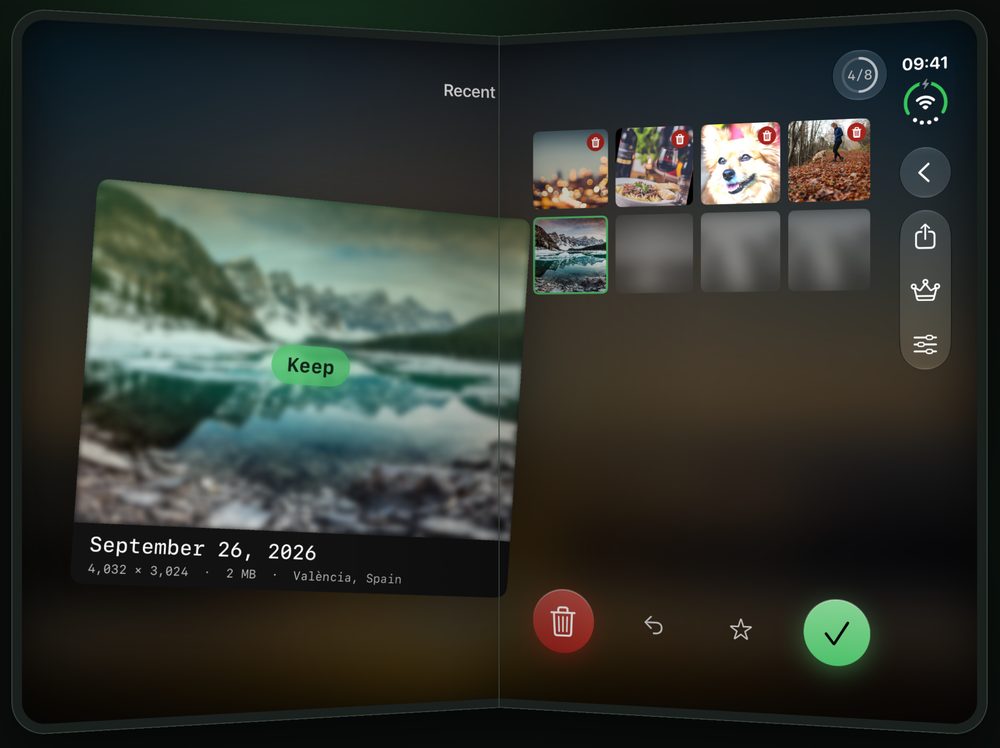
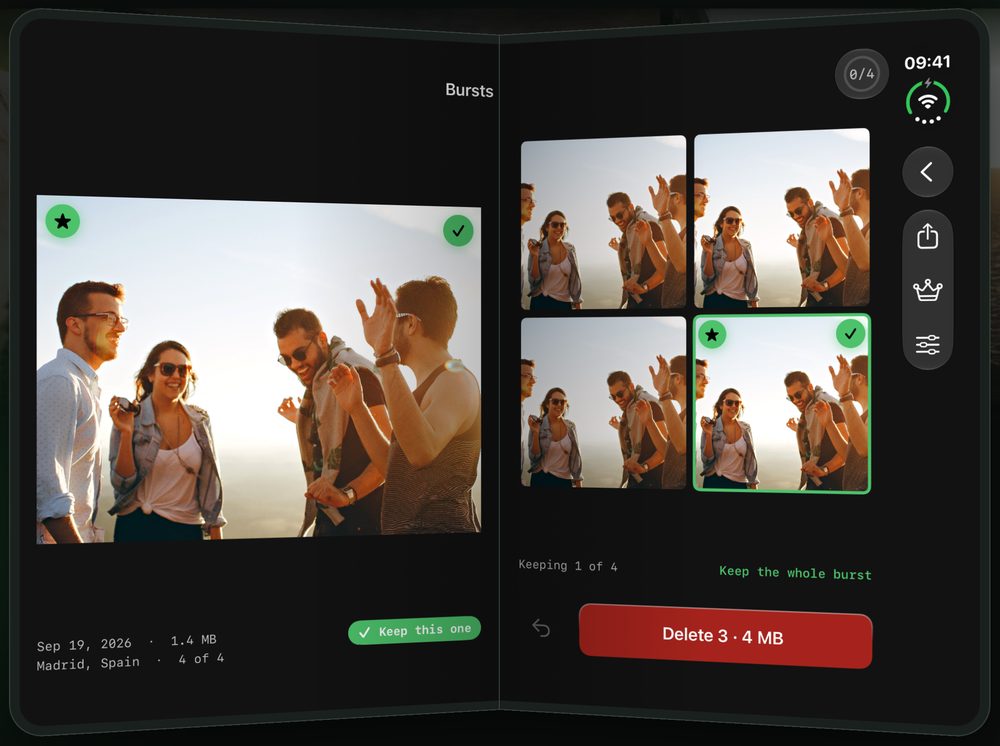
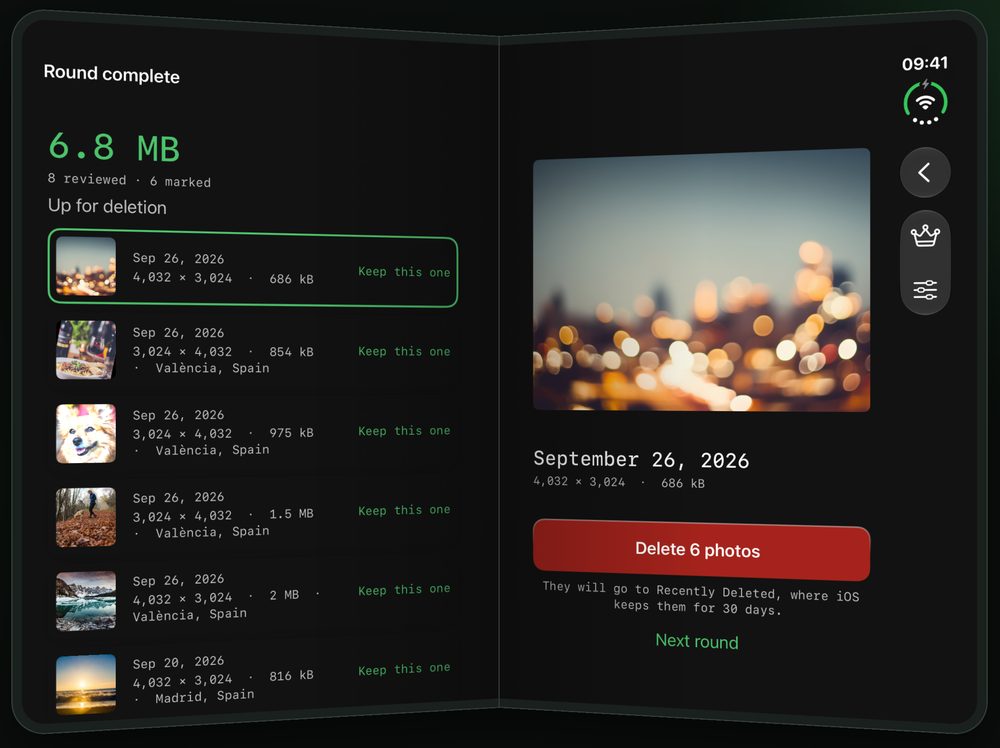
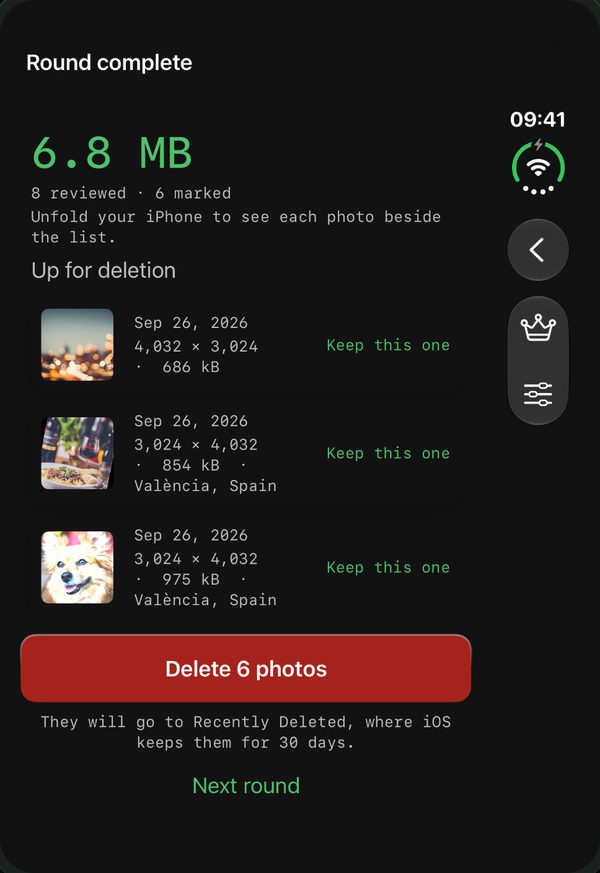
Nothing is deleted until you confirm, and everything deleted goes to Recently Deleted. It all happens on your iPhone: no account, nothing uploaded anywhere, and no ads. Reviewing photos is free every day; videos, similar photos, Live Photos and external drives are part of Limina Pro.